Your own server.
Tiding is small. So are the other tools worth self-hosting. One cheap VPS runs several of them — you do about ten minutes of work by hand, then you prompt an agent for the rest.
Ten minutes by hand. Then stop typing.
≈ 10 minutes by hand
prompted, reviewed, not typed
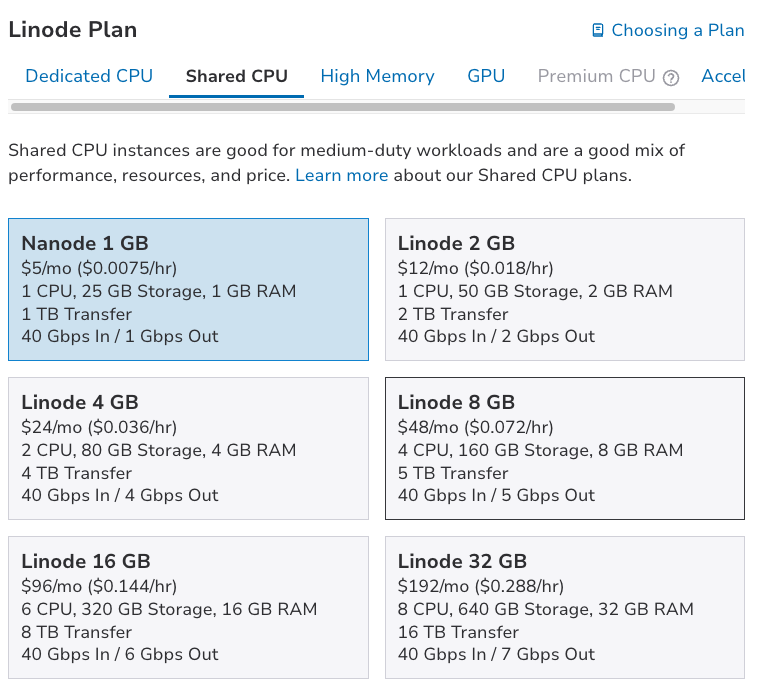
One box. $5 a month.
If you wreck the OS — destroy it.
Delete the instance and create another. The software can be rebuilt by running the same prompts again. The memories cannot. Copy the database off-box before you experiment, or you will rebuild a blank store.
What a mistake costs — pennies.
Small Linux instances print an hourly rate on the tile. A box you kill after twenty minutes costs a fraction of a cent. The expensive mistake is skipping backups, not the instance fee.
What lives on the box — your memory.
Tiding stores everything in PostgreSQL on that machine. There is no third-party SaaS holding a copy. That is the point, and it is why an off-box backup is part of the first prompted work, not a later nice-to-have.
What you are buying
Any provider with a small Linux instance works. Around $5 / €5 a month buys roughly 1–4 GB of RAM, a shared vCPU and 20–50 GB of disk. Prices and tiers move constantly — treat the names below as where to look, not as a quote.
Widely used, global regions
Akamai (Linode)
Regions across NA, EU, India, Japan, Singapore, Australia, Brazil. Predictable flat billing.
DigitalOcean
The gentlest console of the lot, and the best-documented. NA, EU, Singapore, Bangalore, Sydney.
Vultr
The widest region list — thirty-odd cities including Seoul, Tokyo, Osaka, Mumbai, Tel Aviv, Johannesburg, São Paulo.
Europe
Hetzner
Germany and Finland, plus US sites. Usually the most RAM per euro of anyone here. Very popular for exactly this kind of hosting.
OVHcloud
French, large, with EU, Canadian and APAC regions. Cheap VPS tier; the console takes some getting used to.
Scaleway · netcup · IONOS
France and Germany. Inexpensive, EU-resident, GDPR-simple. netcup in particular is a lot of machine for the money.
Asia-Pacific, and elsewhere
Alibaba Cloud · Tencent Cloud
The obvious choices if your users are in mainland China or nearby.
BinaryLane · local hosts
Australia, and most countries have a good small provider. Local latency and local billing often beat a big name.
Oracle Cloud Free Tier
Genuinely free ARM instances, and generous ones. Capacity is often unavailable, and idle instances can be reclaimed — fine to try, a poor place for something you rely on.
Pick the region deliberately. Two things depend on it and neither is speed: the jurisdiction your memory store sits in, and — if you are in the EU or serving EU users — whether you have just made your own life harder under GDPR. An EU-resident host is the simpler answer there. Otherwise choose the city closest to you, not the cheapest one.
Tiding wants native PostgreSQL with pgvector, plus an in-process embedding model of about 520 MB. 2 GB of RAM is a comfortable start; 1 GB works if you keep the rest of the box quiet. ARM instances are cheaper and work here if packages have an arm64 build. Resizing later means downtime — start a little above the minimum.
The part you do by hand
Everything here is done once, as root, before any agent is involved. It exists so the agent has a safe account to work in and a name to get a certificate for.
-
Create the instance
Ubuntu LTS. Paste your SSH public key into the create form — doing it now means you never enable password login at all.
-
Point a DNS name at it
An
Arecord for the host you want, e.g.memory.example.com→ the instance IP. Do this early; certificates need the name to resolve. -
Update, and make yourself a user
Log in as root once and run the update, then create a normal account with
sudoand copy your key to it. From then on you log in as that user, not root. -
Install your agent, and stop typing
Install whichever coding agent you use, log in as your user, and start it in a working directory. That is the end of the manual part.
apt update && apt full-upgrade -y
adduser you
usermod -aG sudo you
rsync --archive --chown=you:you ~/.ssh /home/you/
Direct the server. Do not administer it by hand.
This is the actual technique: you are not learning to administer a server, you are learning to direct one. Work in small steps, ask for an explanation before a change, and ask for evidence after it.
Give the agent sudo through your user — not a root login. An agent with sudo can do anything you can do, which is the point and also the risk. Small steps keep it reviewable.
You are on a fresh Ubuntu server that will be on the public
internet. Change nothing yet. Tell me: what is installed, what
is listening on a port, what the firewall state is, and what
you would change before this box is exposed. List it as
findings, worst first.
Do the standard hardening for a small public server:
unattended security upgrades, a firewall allowing only SSH,
HTTP and HTTPS, SSH key-only authentication, and fail2ban.
Explain each change before you make it, and after each one
show me the command that proves it took effect.
Install nginx and certbot. Set up memory.example.com with a
Let's Encrypt certificate. Then prove renewal actually works
with a dry run — do not just tell me it is configured.
That last sentence matters more than it looks. A certificate that installs cleanly and silently fails to renew is a site that breaks in ninety days.
Install Tiding from https://github.com/iXanadu/tiding
on this server, following the repo's install scripts.
Use native PostgreSQL with pgvector — not SQLite. Run the
server as its own service user, never as root or as me. Bind
it to loopback. Put nginx in front only if we are exposing
it, and keep the default: a network bind without auth must
refuse to start. Read SECURITY.md first and tell me what it
requires before you start. Then prove /health returns ok.
The embedding model (~520 MB) downloads on first start and runs in-process. No external embedding API, no extra keys.
Proof, not a report
Ask for proof, not a report.
“Show me the command that proves it” beats “is it working?” — an agent that says done is describing its intent, not the machine.
One thing at a time.
A prompt that installs and configures and hardens in one pass is one you cannot review.
Make it explain first.
If the explanation is wrong, you have caught it before it ran.
Keep the secrets out of the chat.
Tokens and keys belong in files on the server. Tell it to write them there and show you the permissions, not the contents.
Worth knowing
- The agent has your sudoGive it a user account, not a root login
- $5 is the box, not the backupsAsk it to set up an off-box backup of PostgreSQL too
- This host will hold every memoryIts disk is your team’s long-term memory
- Cheap instances are sharedFine for tools; not for anything latency-critical
“The cost of the server is not the interesting number. The interesting number is that the memory is yours, and nobody can change the terms on you.”
Ready to put it on a box?
The install itself is three commands. This page is the surrounding practice.